One point of contact
Your colleagues know where to ask for help. We agree who handles management, changes and support.
 Support when a workstation lets you down
Arrange access for new employees
Manage workstations and accounts
Check backups and test recovery
Clear agreements on IT support
Support when a workstation lets you down
Arrange access for new employees
Manage workstations and accounts
Check backups and test recovery
Clear agreements on IT support
IT management & support
Unreliable laptops, unmanaged accounts and separate suppliers make work harder. Radorfa brings workplace devices, Microsoft 365, networks and support together with one point of contact.
Start with your question. We agree the work and costs before starting.

From our customer cases

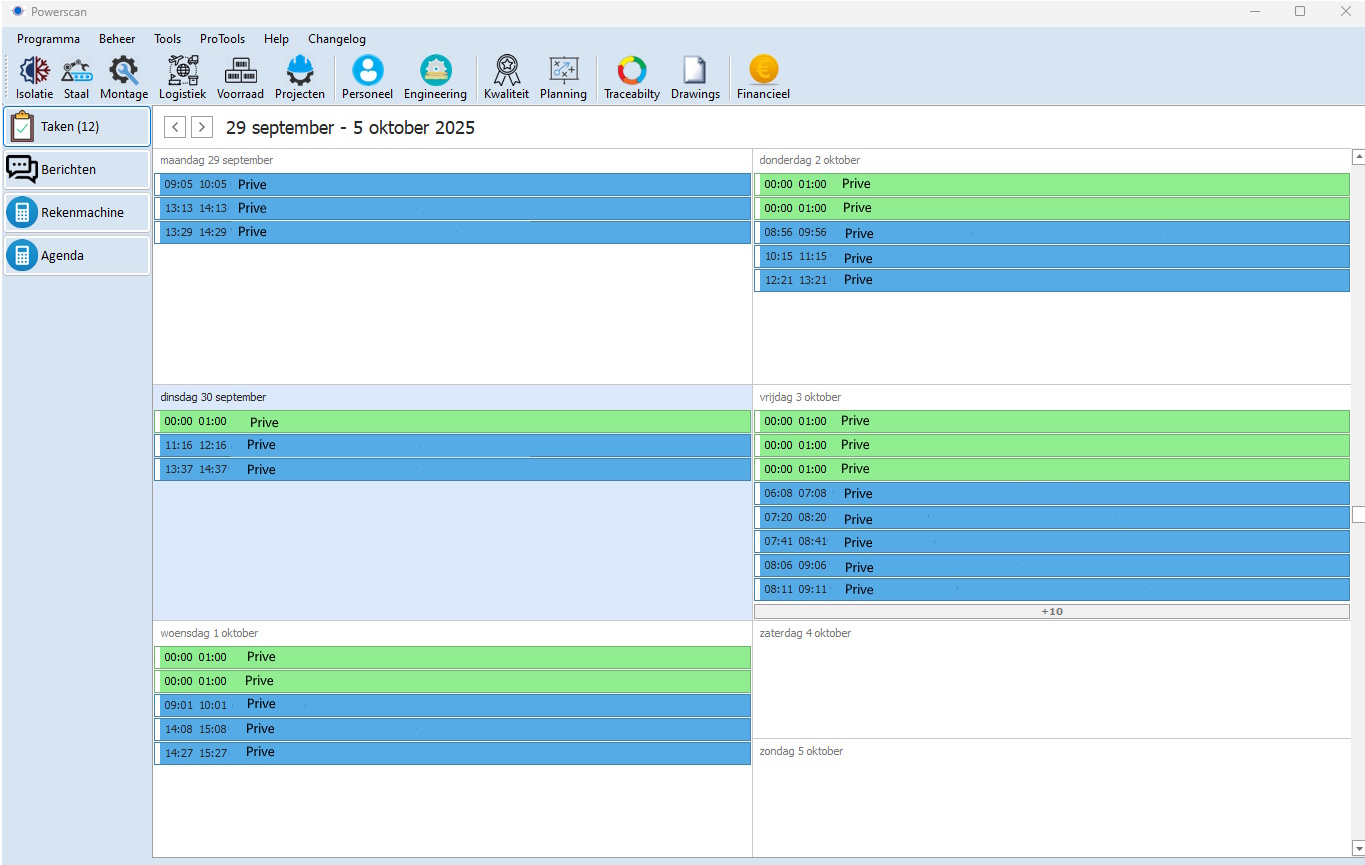
At Power Piping, Radorfa combines IT management with PowerScan and a warehouse app. Explore how the customer case connects production, inventory and daily work.
The work includes managing IT, connecting label printers to PowerScan and supporting warehouse registration through the app. The case shows how equipment and software are used together.
Read the case →What this means for your team
Your colleagues know where to ask for help. We agree who handles management, changes and support.
Devices, accounts and updates are managed together, with a clear process for employees joining or leaving.
Access, security, backups and network management are connected to practical checks and clear responsibilities.
An everyday situation
We agree the laptop, Microsoft 365 licence and access they need. We configure the device, check sign-in and email, and test required applications. Your colleague also knows how to request support.
When someone leaves, we revoke agreed access and record what happens to files and equipment.
Configure the laptop, updates and protection for the role.
Assign Microsoft 365, files and application permissions.
Test sign-in, email and daily work with the colleague.
When someone leaves, we revoke agreed access and check what must be retained.
We inventory devices, servers, accounts, licences and suppliers. Updates and maintenance are planned around risk and impact. Monitoring raises signals; service agreements define who responds.
MFA, access rights, network segmentation and backups work together. We check configuration and agree recovery priorities, including how data can be restored.
We provide remote or on-site support under the agreed service scope. Recurring issues become improvement actions and documentation keeps knowledge accessible.

From setup to everyday use
We check the workstation, access and daily tasks together, so questions are identified before handover.
Our approach
We discuss people, systems, problems and existing agreements.
You receive a proposal with responsibilities, activities and cost factors.
We arrange access and documentation, test the handover and agree a support route.
Before we start
Yes. We first inventory access, systems, suppliers and contracts, then agree which responsibilities transfer and how to verify the handover.
The online check helps organise your situation and priorities. Technical investigation, on-site work and management agreements need an agreed scope and any costs in advance.
User and device numbers, environment complexity, security requirements and support scope. An appropriate proposal starts with an inventory.
Availability, priorities and response arrangements are defined in your service agreement. Call about an urgent incident; submitting a web request does not confirm an emergency appointment.
Tell us about your situation
Tell us how many people and devices you have and what is difficult today. We discuss what Radorfa can take on and which assessment is needed.